Introduction
Aside from the general disclosures and identifying information (outlined here), the Privacy Policy must also list the personal data collected, together with the purpose of its collection.
With iubenda, you can easily declare which services or programs your website uses to collect data. Each service generally contains details of the type data collected, the name of the provider as well as the purposes of collection.
Remember that even a cookie is considered personal data. You can consult our introductive article to Cookie Law for additional information on the subject.
What is a Service?
We group a description of and about personal data (such as a Cookie or IP Address), the purpose of its collection (such as Analytics or Advertising) and the providers (such as Google or even your own website) into what we call services.
Each service corresponds to a portion of a privacy policy, and provides all the relevant information to the end users of your website.
Services generally fall into two categories:
- Services related to your own data collection activities (eg. contact forms)
- Services related to third-party data collection activities (eg. Google Analytics)
When figuring out which basic services to add to your policy, it may help to ask yourself the following questions:
- What user data do I collect myself and how do I collect it? (eg. newsletter forms, contact forms, comment systems)
- Which third-party services do I use on my site/app? (eg. social widgets, analytics, payment processing services)
Read more about defining your services here.
How do I build the Privacy Policy for my website?
To build the privacy policy, you must select every service that your website uses. As mentioned above, it might use services provided by third-parties (such as Google Analytics or Google Adsense), or services provided by your own website, such as a newsletter or registration. More on how to do that here.
Once every service has been added, you can continue the generating process and integrate the Privacy Policy within your website.
Note
You can access your dashboard and make changes to your privacy policy (like adding other services or modifying those already included) at any time.
If you’re on iubenda’s current pricing: All pre-built clauses are available on every tier. Custom clauses are available on Advanced and Ultimate plans. The number of clauses you can include depends on your plan:
- Starter: up to 7 clauses
- Essentials: up to 20 clauses
- Advanced: up to 30 clauses
- Ultimate: unlimited clauses
Legacy plan users: If you have a Pro or Ultra license, you have full access to all services (unlimited clauses) for the duration of your license. If you’re on the legacy free plan, you can add up to 4 clauses, limited to services not marked as “Pro”. Upgrade to a Pro license to remove both limits.
How do I know which Personal Data my website collects?
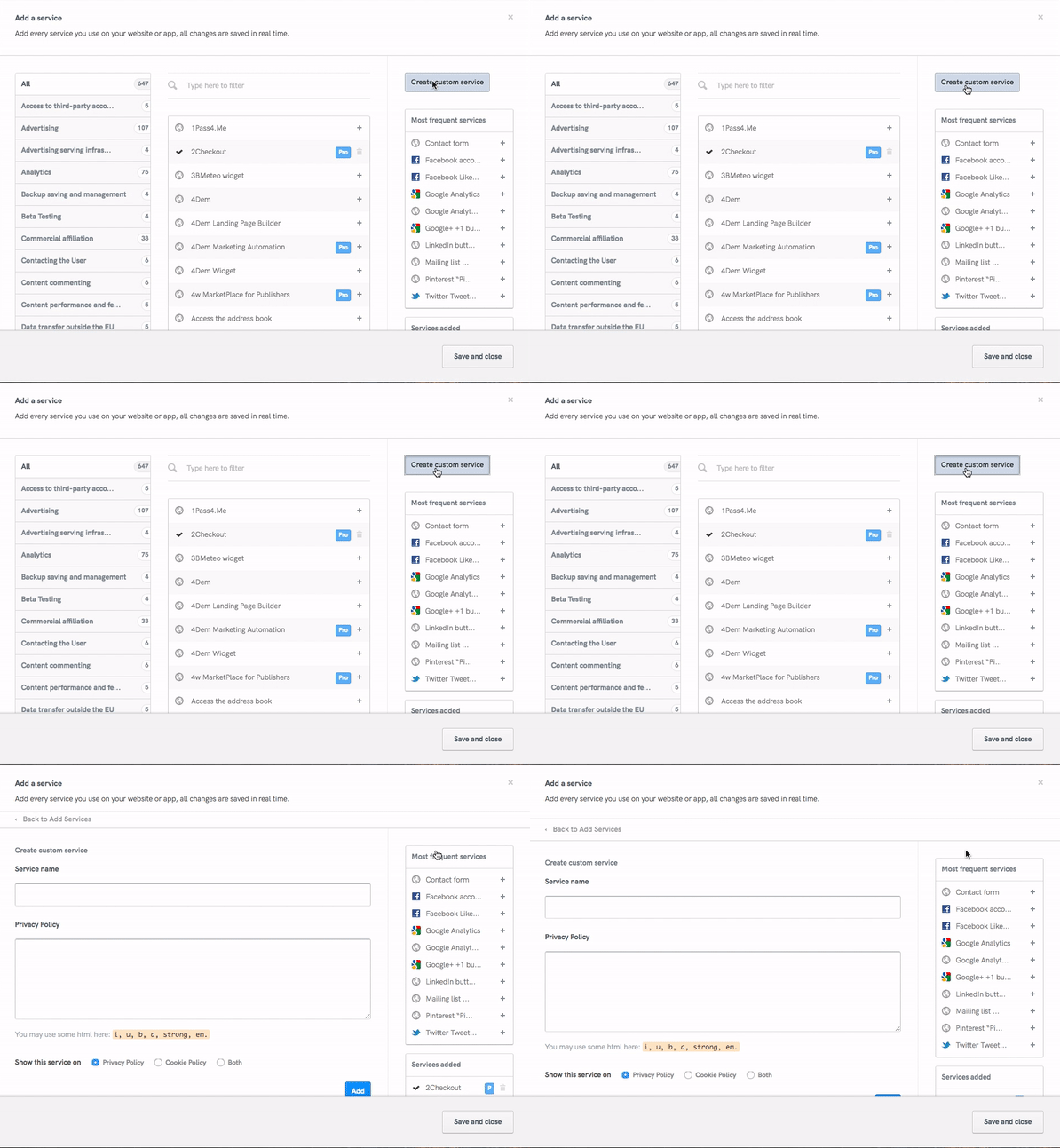
To get an idea of the personal data collected on your website, scroll down the list of services by clicking on the “Add services” button. If you find something familiar, just click on the “add” button.
Typical examples of personal data collection are for analytics (e.g. to know how many visits your website gets), data collection for advertising purposes (for the inclusion of banners etc), the collection of email addresses to keep your users up to date, registration forms etc.
If you’re not clear on what services you use on your website, you can use the Site Scanner within the services window of the generator which allows you to quickly inspect the site in real-time. Do note, however, that while our scanner is powerful, it can only scan for technologies that are directly integrated on your site’s pages. You will, therefore, still need to manually add the clauses related to data processing practices like newsletter sending.
Note: with over 2,000 third-party integrations and clauses, it’s very likely you’re covered. If you can’t find what you need, you can use the custom service option to create your own clause (available on Advanced and Ultimate plans):